If your management company has a master management account with CondoGenie, you and your users/managers may access accounts of condominiums through your master account.
To maintain internal security and access to private and/or confidential information and to ensure that only the appropriate user/manager has access to the condominium/property they manage you will be required to give an individual user/manager access to the condominium/property account.
To see how to provide your users/managers access to other accounts follow the steps below:
1. Log in to your master account
2. Go to Administration
3. Click on Users and Residents
4. Click on the Name of the user
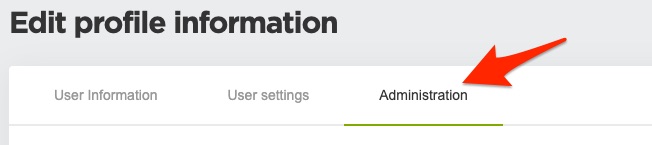
5. Click on the Administration tab
6. Scroll down and Click on the Search box under the Enter you association name section.
You can scroll through all your condominium accounts or type out the name of the condominium.
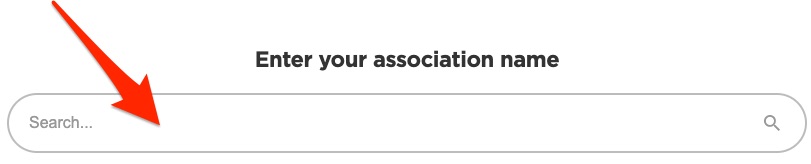
7. Select the Condominium from the list you'd like the user to have access to
8. Click on the Select box and select the User Group you'd like to add the user/manager to
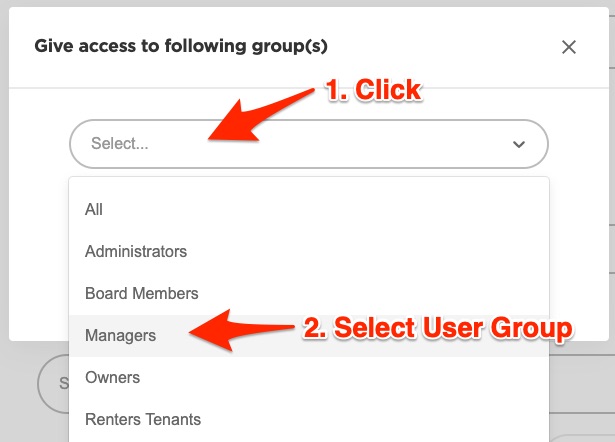
9. Click the Save button
Now the user/manager will have access to the selected Condominium/Property and will be able to access the account through your master management account.